Shaun’s email signature

Copy it here, then paste it into Proton Mail. This page isn’t linked from anywhere and asks search engines not to list it.

Thermal State
Shaun Hills, shown half as a normal photo and half as a thermal-style image
Shaun
Hills
Founder, Thermal State
Accredited NatHERS Assessor
NEH-2026-00078
Gold Coast, Yugambeh Country
On Queensland time: AEST, no daylight saving
Call
0414 510 848
Email
shaun@thermalstate.au
Website
thermalstate.au
Instagram
@thermal.state
↓  Save contact
Reading on a computer?
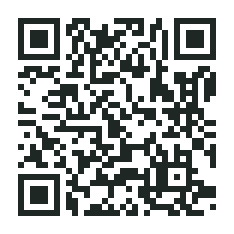
Scan to save to your phone
QR code that saves Shaun Hills to your contacts
I work flexibly and am sending this message now at a time that suits me. I’m not expecting you to read, action or respond outside your regular working hours.
I acknowledge First Nations peoples and communities as the Traditional Owners of the land on which I live and work. I acknowledge and pay my respects to Elders past, present and emerging. I am committed to safe inclusive spaces, policies and services for people of LGBTIQ+ and neurodivergent communities and their families.
Aboriginal flagTorres Strait Islander flagPride flagNeurodiversity infinity symbol

Install in Proton Mail (web)

  1. Press Copy signature above.
  2. In Proton Mail go to Settings › All settings › Identity and addresses, then Display name and signature.
  3. If there’s more than one address, pick shaun@thermalstate.au.
  4. Clear the signature box, click in it and paste (⌘V). Click Update.
  5. Send a test email to a Gmail or Outlook address and check the photo, links and Save contact button there.